Template format
Version 0 of the format.
A Craftadoc template is a Typst project plus a manifest that describes the form. The manifest's input schema is plain JSON Schema (2020-12), so the same file drives the generated form, server-side validation, AI structured outputs, and the API and MCP tool definitions.
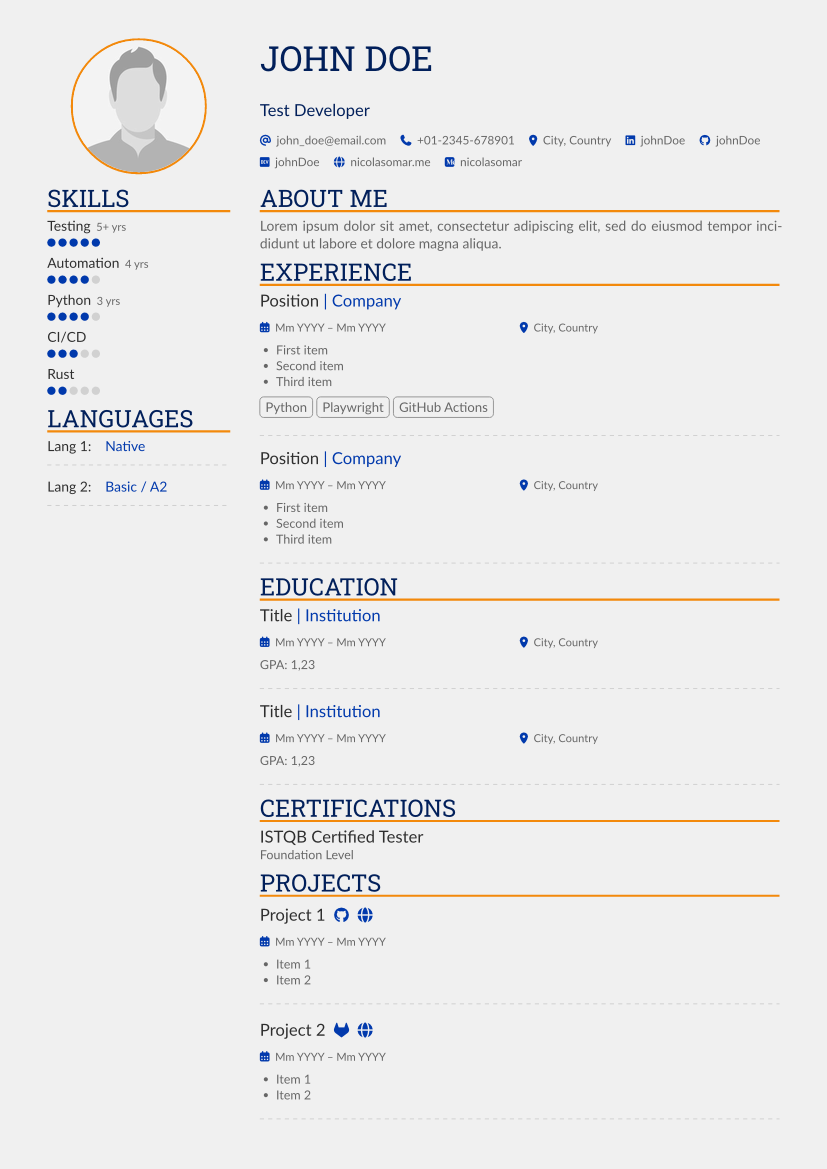
Worked examples: the business card and AltaCV templates. Creating templates walks through building one.
| Business card, front | Business card, back | AltaCV |
|---|---|---|
 |  |  |
1. Folder layout
templates/altacv/
├── craftadoc.json   manifest: metadata and the input schema
├── example.json     sample values: previews, thumbnails, tests, AI examples
├── main.typ         Typst entry point (name set by "entry")
└── assets/          images and other files the template uses
inputs/ is reserved: the compiler puts uploaded images there.
2. Manifest (craftadoc.json)
| Field | Required | Meaning |
|---|---|---|
format | yes | Always "craftadoc-template/0" for this version. |
name, description | yes | Shown in the marketplace. |
entry | yes | The Typst file to compile, usually main.typ. |
language | yes | Document language, e.g. en, nl-BE. |
categories | no | Marketplace categories, e.g. ["cv"]. |
sizes | no | Document sizes the template offers, e.g. ["a4", "us-letter"]; the first is the default. With more than one, the form shows a size choice; read it with paper-size(). Without sizes, Craftadoc detects the size from your page setup. Known sizes: a1–a6, us-letter, us-legal, us-tabloid, business-card (85 × 55 mm), us-business-card (3.5 × 2 in). |
license | yes | spdx identifier, authors, optional source URL and note. The licence decides whether people may copy and change the template. |
inputs | yes | JSON Schema for the form values; its root is an object. |
The manifest itself is checked against a JSON Schema,
https://craftadoc.com/schemas/craftadoc-template-0.json.
3. Inputs: the JSON Schema subset
A field uses these keywords; anything else is rejected, which keeps forms predictable and every schema usable for AI structured outputs.
| Purpose | Keywords |
|---|---|
| Type | type: string, number, integer, boolean, array, object; ["string", "null"] for optional values |
| Labels | title (form label), description (help text), default, examples |
| Text | minLength, maxLength, pattern, format (email, uri, date), enum |
| Numbers | minimum, maximum, multipleOf |
| Lists | items, minItems, maxItems |
| Groups | properties, required, additionalProperties: false |
| Reuse | $defs and $ref (#/$defs/...) |
| Craftadoc hints | x-craftadoc (below) |
Form order follows property order in the file. Every property is listed in
required; an optional value allows null, e.g. "type": ["string", "null"].
This is the style AI structured outputs handle best (strict modes need every
property present).
x-craftadoc hints
| Hint | Values | Effect |
|---|---|---|
kind | markdown | Rich text: Markdown input, rendered safely (section 5). |
image | An uploaded image; see image below. | |
icon | A Font Awesome icon as "solid:globe", "regular:envelope" or "brands:github"; the form shows an icon picker. | |
color | "#rrggbb"; the form shows a colour picker. | |
phone | A phone number input. | |
image | aspectRatio, shape (rectangle, circle), maxPixels | Crop and downscale in the browser before upload. |
multiline | true | A multi-line text box. |
widget | slider, radio, select, checkbox | Overrides the default control. |
labels | { value: label } | Display labels for enum values. |
collapsed | true | Groups shown folded, e.g. colour settings. |
From the old LaTeX markers
Old marker type | Format 0 |
|---|---|
text, email, url, date | string with maxLength, format: email, uri or date |
textblock | string with multiline, or kind: markdown |
number, slider | number/integer with minimum/maximum; widget: slider |
radio, dropdown, multiplechoice | enum (with widget); multiple choice is an array of enum items |
color | kind: color |
faicon | kind: icon |
image, crop | kind: image with image.aspectRatio and shape |
phonenumber | kind: phone |
list, group | array with minItems/maxItems, object |
reference, deleteOnEmpty, escapeLatex | Gone: the template reads a value wherever it needs it, tests whether optional values are filled, and values are never code |
4. What the template receives
Craftadoc validates the submitted values against inputs and then passes them
to Typst as the craftadoc-values input (a JSON string), after three changes:
- Images become file paths: an upload for
photoarrives as e.g."inputs/photo.jpg", already cropped and downscaled.example.jsonuses files underassets/. - Markdown becomes a restricted tree: blocks
paragraphandlist(withlistItem), inlinestext,strong,emphasis,link(http,httpsandmailtoonly) andbreak, named as in mdast. Other Markdown is reduced to its text (headings become paragraphs, images their alt text). - Empty optional values become
null(nonein Typst).
5. The Typst helper package
Templates import @craftadoc/form:0.1.0:
#import "@craftadoc/form:0.1.0": values, rich, icon, filled, date

#let d = values(json("example.json"))   // the submitted values, or the example
= #d.name                               // strings always render as text
#rich(d.about)                          // markdown tree, or a plain string
#icon(d.links.first().icon, fill: blue) // "brands:github" → Font Awesome glyph
#if filled(d.linkedin) [LinkedIn: #d.linkedin]
#date("2026-10-25").display()           // a "date" value as a datetime
values(fallback) returns the submitted values, or fallback when the template
is compiled on its own, so every template stays a normal Typst project that
compiles and previews without Craftadoc.
6. Rules
- Values are data, never code. No
eval, and no Markdown packages that pass raw Typst through (@preview/cmarkerallows it by default). Strings in Typst content always render as literal text: values containing#strong[...],$...$and#eval(...)were printed verbatim in testing. - Fonts come from the platform set (font list):
Fira Sans, Hind Madurai, Lato, Roboto Slab, Font Awesome 7, plus Typst's built-ins. A
template may also ship its own
.ttf/.otffonts (with a licence that allows redistribution); they are loaded for that template only. - Packages:
@craftadoc/formplus an allow-list of vendored Typst Universe packages (none yet); the compiler has no network access. - Size: at most 10 MB in total, fonts and images included, with at most 200 files of at most 5 MB each. Assets stay inside the template folder.
7. Checks
craftadoc.jsonagainst the manifest schema.example.jsonagainstinputs, including thekindrules (icon names,#rrggbbcolours, image files that exist).- No
evalin any.typfile. - A compile with only the platform fonts and the helper package, failing on any warning (for example a missing font).
Publishing will run the same checks, then record pages, compile time and thumbnails per version.
8. Versions and compatibility
format versions the manifest. Documents keep the template version they were
made with; the editor offers to move them to a newer one.
Two templates are compatible when their inputs have the same shape: the
same field names, nested the same way, with the same types (integer and
number count as one) and the same kind for images, icons and colours.
Titles, descriptions, examples, hints, the order of the fields and the limits
(maxLength, maxItems, enum, required and so on) don't matter.
Documents move between compatible templates with everything filled in; where
a template's limits are tighter, the editor shows which fields to change.
Compatible templates are listed on each other's pages.
To make a new design for an existing form, start from that template's inputs
and keep the field names. Wording and limits can change freely.